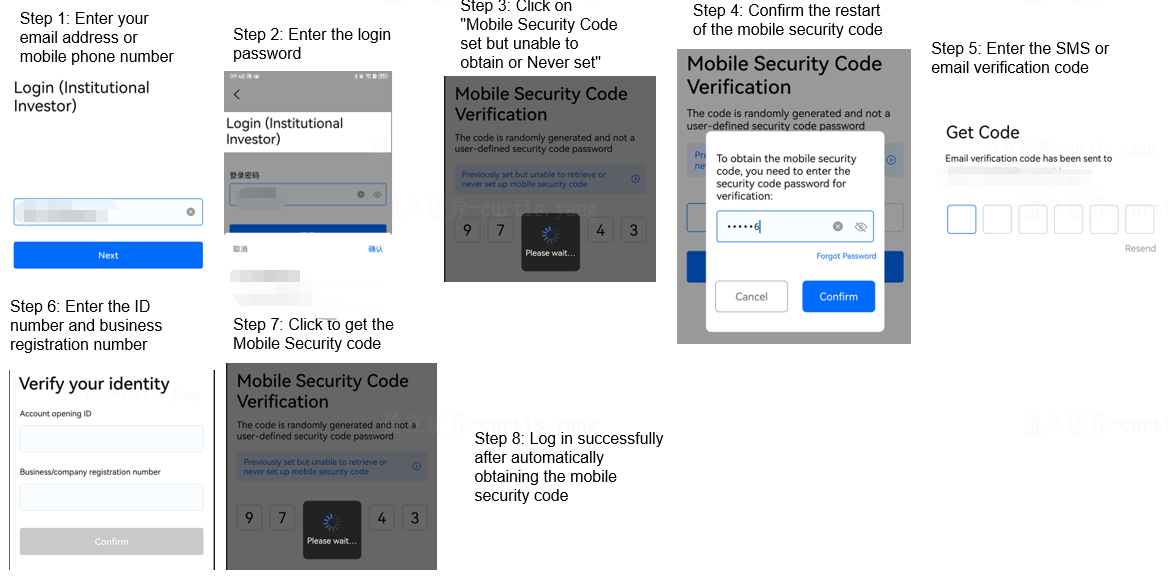
Institutional account APP login
①Log in for institutional accounts that have not been activated but have reserved mobile phone numbers
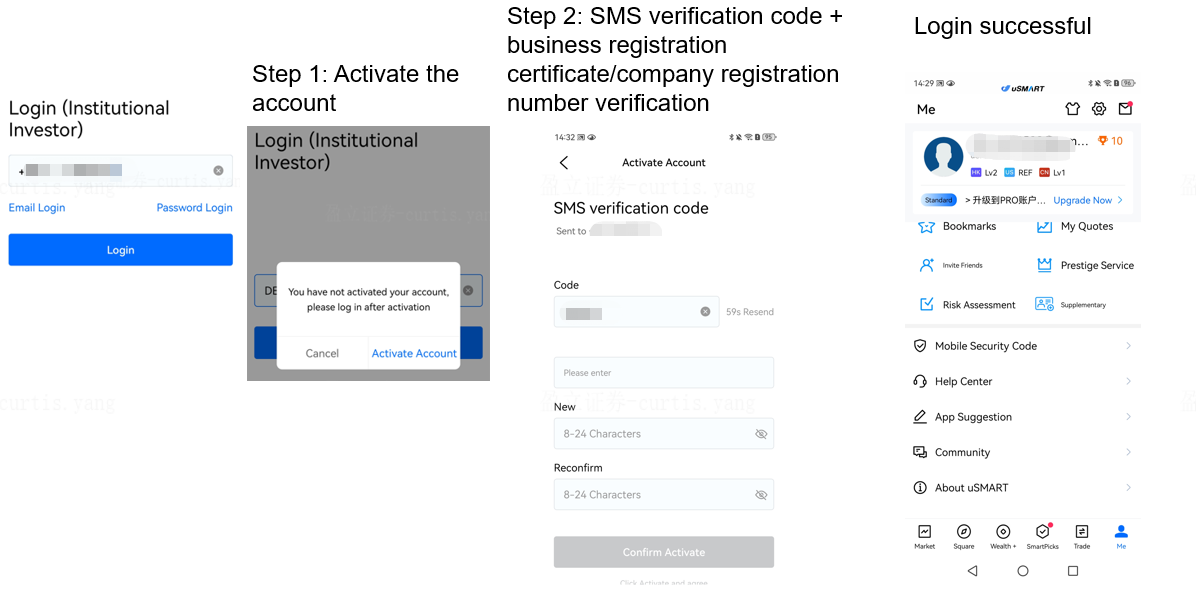
②Login for institutional accounts that have not been activated and have not reserved a mobile phone number

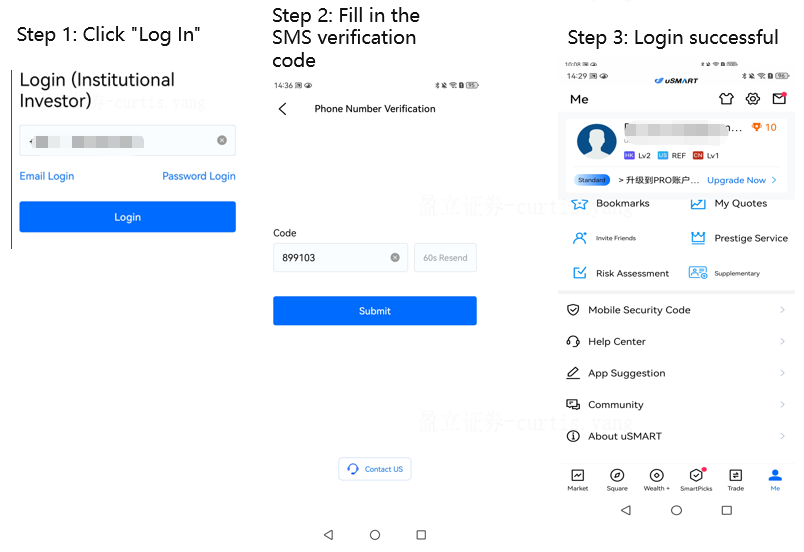
③For institutional accounts of new devices that have been activated, have not enabled the mobile security code, and have reserved mobile phone numbers: Log in with a verification code
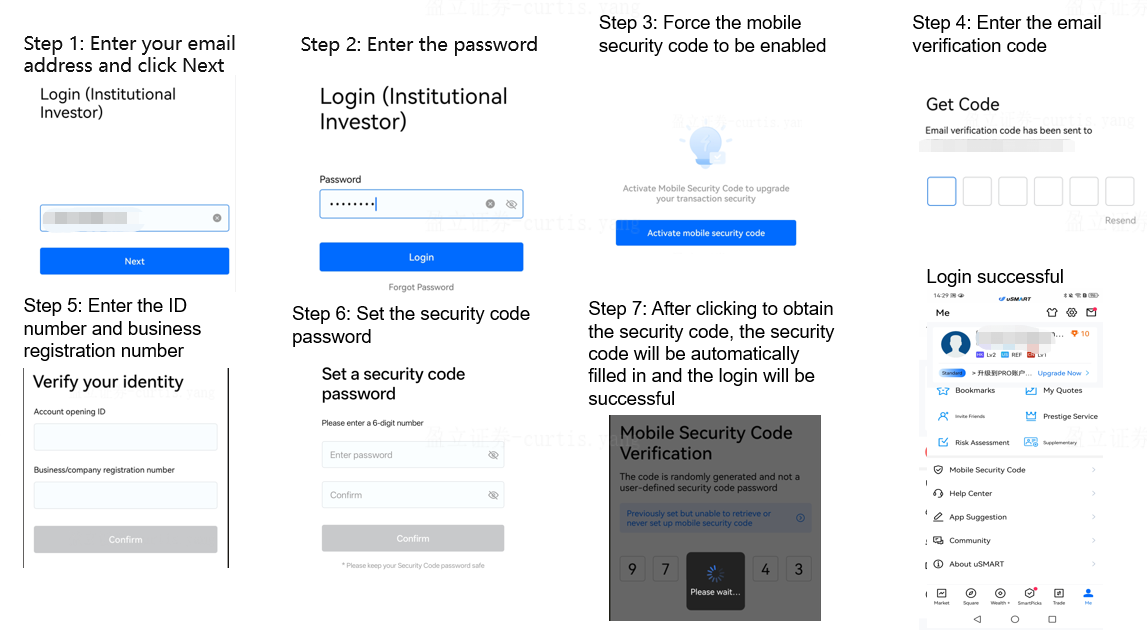
④For institutional accounts of new devices that have been activated but have not enabled the mobile security code and have not reserved a mobile phone number: The mobile security code will be forcibly enabled during the login process
⑤For institutional accounts that have been activated but have not enabled the mobile security code and are logged in with old devices: Login with email/mobile phone number and password is successful
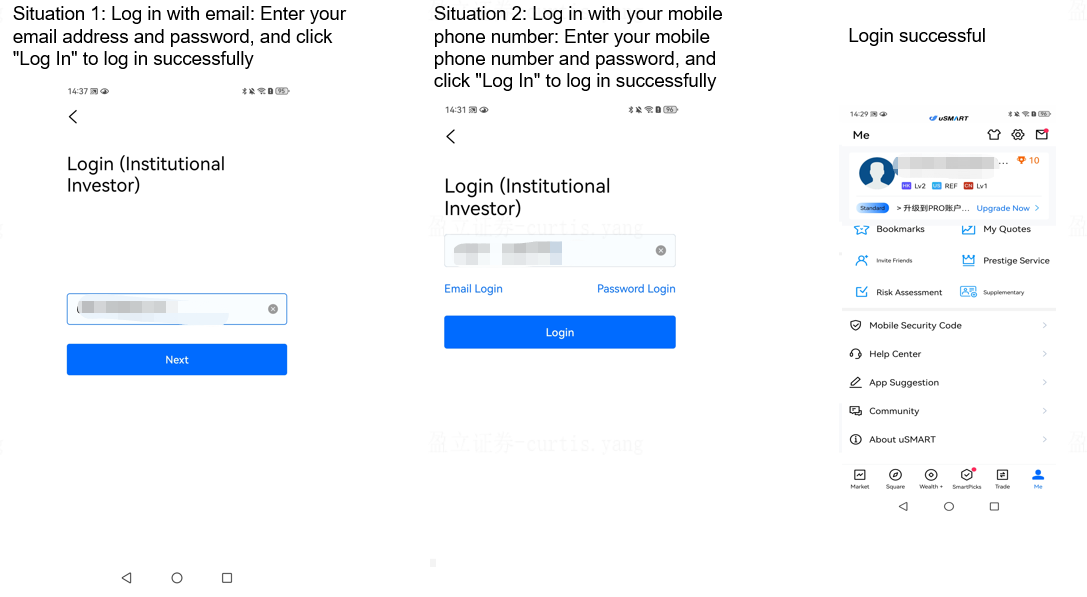
⑥The customer chose to enable the mobile security code on the old device and log in on the new device
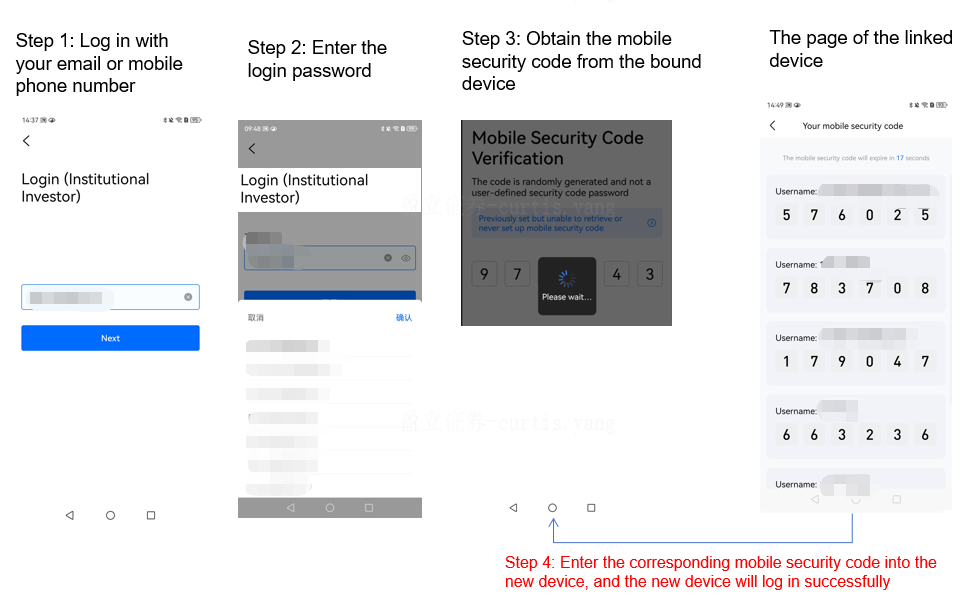
⑦The old device was lost after the customer enabled the mobile security code